


Simple Sculptor is a user-friendly plugin for Mesh and SubD sculpting inside Rhino
no ZBrush no Sculptris no Clayoo
Simple Sculptor Plugin
Version: Compatible with Rhino 7, 8, and 9
Platform: Windows / macOS
License: Free to try – development supported via Patreon
GG_Sculpting Beta Test v2.5.0 Test
Developer:
Created by Taras, an independent designer and developer from Ukraine ua
If you find the plugin useful, consider supporting ongoing development on Patreon. Your help makes this project possible.
Overview:
Simple Sculptor is a user-friendly plugin for Mesh and SubD sculpting inside Rhino. It provides fast, intuitive tools for deforming geometry — perfect for organic modeling, concept design, and form exploration.
Update V3.1.3 on Patreon
Visual transformation of meshes has been improved.
Overall optimization and stability has been improved.
New Commands Tools:
GG_Mesh Subdivide
GG_Mesh Subdivide Catmull_Clark
GG_Mesh QuadSphere
New Tools:
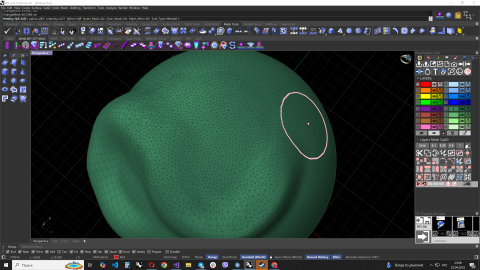
Added Tool, Select the Mask in: the Rectangle/ the Cirecle/ the Lasso
Added Tool, Smoothing Mesh in Mask
Updated tools:
Scale, Moves //Visual markers have been added to make it easier to understand the movement vector.
Added test tool: Alpha texture using image or VDM(*exr) files
Update V2.5.0 on Patreon
Significant optimization and improved performance.
Now works faster with meshes up to 1 million vertices.
Reduced mouse lag during transformation.
Improved performance when applying masks and mirrors.
New Tools:
Added Tool Scale:
You can apply Scale Transformation in 3D, Style 2 to stretch mesh along the Z axis.
Added Tool Twist:
Rotates the vertices around the axis.
Added Tool MoveInfinite:
Moves along the direction of the mouse vector/ 2 style The direction vector is formed from the curvature of the mesh.
Added Tool Msk extract: relative to Norma Mesh.
Added Tool Msk extract: using Rhino Gumbll transformation
Update V1.8.1 On Patreon
Tool updates:
Tool Remesh //now works with Mask.!
New Tools:
Added Tools Crease
Added Tools Inflate , It inflates the Vertices to Normal.
Added Tools Drag ,has two styles of work.
Update V1.7.5
added fixes Revers
added new feature in the Smoothing tool. //Reverses is now enabled = does not ignore object edges for smoothing.
added the ability to deform the Surface and Brep
Update V1.7.2
added fixes to Masck tools
added fixes in UI
Update V1.7.1
Tool Remesh Accelerated x10 and improved operation of the tool. now the size is adaptive relative to the grid size.
New Tools:
Added Tools Pinch //Use it to sharpen edges, highlight wrinkles, detail, or create sharp folds on the mesh.
Added Tools Flatten //Aligns the average value of the vertices. to the brush plane.
If you hold down Alt. the plan is fixed and you can align the vertices to a fixed plane.
Update V1.5.0
Bug fixes:
The black color has been fixed. Now it is replaced with a lighter one.
Tool updates: Added the UI
Added the button 1:1 Adaptive Radius to turn on or off the adaptive Radius.
Added the button Inverted intensity
Added the button Masck Blur
Added the button Masck Sharpen
Added the button Fix Masck //ability to fix the mask after the simulation is complete has been added.
Added the button Mirror selection Plane X/Y/Z
Added the button Options:
Added the button Draw Wire
Added the button View Points //Enables faster processing of objects.
Added the button Duplicate object
Added the Slider Brightness added the ability to change the display of an object
Added the Slider Transparency //the ability to change the transparency of the modeled geometry to compare changes
- Category:
- License Type:



Rhino 8 for Win
Rhino 8 for Win
Rhino 8 for Win
Rhino 8 for Win
