


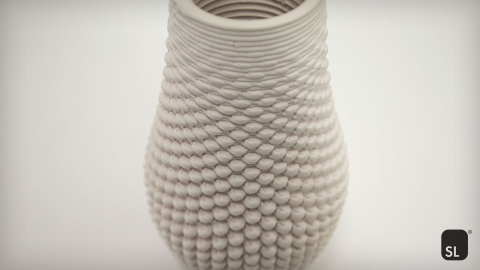
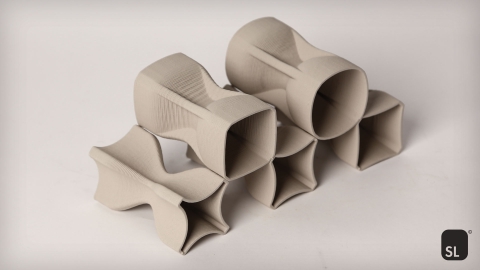
Termite is a modular, open-source slicer for Grasshopper, developed specifically for Liquid Deposition Modeling (LDM) 3D printers with recommended nozzle sizes ranging from 0.1 to 50 mm. It supports systems such as the WASP 40100 LDM and Delta WASP 2040 Clay, while also being compatible with a wide range of other printers and custom setups capable of interpreting G-code, including Cartesian printers, polar printers, and robotic arms. Termite is suitable for 3D printing with a broad range of paste-based materials, including clay- or earth-based mixtures, concrete, food-grade substances, biopolymers, and biomaterials.
Designed as an all-in-one solution, Termite brings slicing directly into the parametric design environment. With 21 modular components organized into the categories Main, Create, Sort, Display, and Example, users can design, modify, and experiment with printing paths using Rhinoceros, Grasshopper, or Termite’s own components. All machine data is generated as G-code in real time, ready for printing.
Various features tailored to paste-based extrusion are included such as organizing printing parameters by Rhino layers, safe start of printing paths by lower inrun speeds, safe end of extrusions by flattening the ends of printing paths, automatic detection of path crossings to prevent material buildup, generation and printing of non-planar paths, defining dedicated travel paths, nesting algorithms for travel optimization, estimating time and material consumption, simulating the printing process, and more.
Whether you are exploring experimental fabrication or refining reliable production workflows, Termite offers full control over every printing path - directly where design happens. For a detailed description of the plugin, refer to the tutorial video link, the readme file in the downloadable zip folder, or explore Chapter 4, titled "Termite Plugin", in the author's doctoral thesis titled "Advancing 3D Printing of Clay in Architecture", available at the following link.
Requirements:
- Rhinoceros 6 or later
How To Install:
- Windows: Download and launch Termite Setup
- Mac: Drag & Drop the 20 components into the Grasshopper canvas
- Rhino Package Manager: Termite is also available via Rhino Package Manager (Rhino 7 or later)
Components:
- Termite Create Alternated Layers
- Termite Create Base
- Termite Create Shifted Ends
- Termite Create Shifted Seams
- Termite Create Sling Contours
- Termite Create Spiral from Curve
- Termite Create Spiral from Surface
- Termite Create Stair Contours
- Termite Create Wall
- Termite Sort Along Axis
- Termite Sort Along Curve
- Termite Sort by Distance
- Termite Sort by Length
- Termite Sort by Travel Path
- Termite Sort Out by Length
- Termite Main G-code Generator
- Termite Display Clipping Planes
- Termite Display G-code
- Termite Display Simulation
- Termite Example File 1 Opener
- Termite Example File 2 Opener
Acknowledgment:
This work was supported by the Austrian Science Fund (FWF), project no. F77 (SFB "Advanced Computational Design"), subproject SP9 (Material- and Structurally Informed Freeform Structures). The software is still being developed. It is the author's aim that the Software is used and tested for further evaluation and improvement. Termite 1.4 © Julian Jauk, ShapeLab, Institute of Architecture and Media, Graz University of Technology.
-Julian Jauk
- Category:
- License Type:


Grasshopper for Rhino 7 for Win
Grasshopper for Rhino 8 for Win
Grasshopper for Rhino 7 Mac
Grasshopper for Rhino 8 Mac