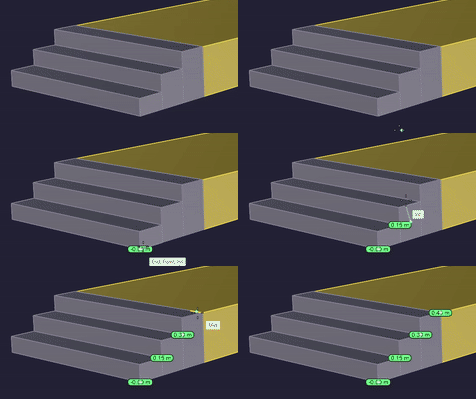
What is Level?
Level is a Python script that places Z-elevation TextDots wherever you click in Rhino. Built for the day-to-day grading, section checking, and elevation marking that landscape architects, architects, and interior designers deal with constantly.
No panels, no dialogs. Click, see the number, move on.
Why I made this
I'm a landscape designer, and I got tired of the manual workflow — checking elevations one by one, copying numbers, placing text. So I started scripting my own tools. Level is one of them. It does exactly what I needed on site grading plans and planting layouts: fast, accurate elevation readouts that stay organized and look clean.
If you work with terrain, floor levels, or any kind of vertical coordination, this might save you some time too.
Features
Color Sync — Each dot picks up the layer color of the nearest object automatically. Your grading contours are green? The dots near them will be green too. Configurable search radius.
Auto Contrast — Text color flips between light and dark based on the dot's background brightness. Always readable, no matter your color scheme.
Custom Appearance — Background color, text color, transparency, dot height, prefix (GL, FL, etc.) — all adjustable. Use auto mode or set fixed colors.
Unit Conversion — Detects your document units and converts on the fly. Supports mm, cm, m, km, inch, feet, yard, mile, micron. Decimal places, rounding (HALF_UP), scaling factor, separator style — all configurable.
Layer Management — Three output modes: date-stamped hierarchy, active layer, or custom named layer. Dots stay organized for easy on/off.
12 Languages — EN, JA, ZH, ES, FR, DE, KO, PT, IT, RU, HI, AR. One setting to switch.
Rhino 7 & 8 — Works on CPython 3 and IronPython 2.7. No external dependencies.
Supported Geometry — Point, Curve, Surface, PolySurface, Brep, Mesh, SubD, Block
26 settings, all in the script header. Edit and run.
Who is this for?
Landscape architects working on grading plans and terrain models
Architects checking floor levels and section cuts
Interior designers coordinating ceiling heights and finish levels
Anyone who needs quick, clean elevation labels in Rhino
This tool is free.
If it saves you some time, consider buying me a coffee
— I'm saving up for a trip to the South Pole in 2028
https://buymeacoffee.com/RIKCCC
:-:-:-:-:-:-:-:-:-:-:-:-:-:-:-:-:-:-:-:-:-:-:-:-:-:-:-:-:-:-:-:-:-:-:-:-:-:-:-:-:-
Levelとは?
Levelは、Rhinoでクリックした点のZ値(標高)をTextDotで表示するPythonスクリプトです。造成計画、断面チェック、レベル記入など、ランドスケープ・建築・インテリアの日常業務で使うことを想定して作りました。
パネルもダイアログもなし。クリックして、数字を見て、次へ。
作った理由
自分はランドスケープデザイナーで、標高を一つずつ確認して、数字をコピーして、テキストを配置して……という作業にうんざりして、自分用のツールをスクリプトで書き始めました。Levelはそのうちの一つです。造成図面や植栽配置で必要だった「速くて正確で、整理された標高表示」をそのまま形にしたものです。
地形、フロアレベル、高さの調整を扱う仕事をしている方なら、きっと時間の節約になると思います。
機能
カラーシンク — 各ドットが近傍オブジェクトのレイヤ色を自動で拾います。造成のコンターが緑なら、その近くのドットも緑に。検索距離は設定可能。
オートコントラスト — 背景の明るさに応じて文字色が自動で切り替わります。どんな配色でも常に読みやすい。
カスタム外観 — 背景色・文字色・透明度・ドット高さ・プレフィックス(GL、FLなど)を自由に設定。自動モードでも固定色でもOK。
単位変換 — ドキュメントの単位系を自動検出して変換。mm・cm・m・km・inch・feet・yard・mile・micronに対応。小数桁数・四捨五入・スケール係数・区切り記号もすべて調整可能。
レイヤ管理 — 3つの出力モード:日付スタンプ付き階層、アクティブレイヤ、指定名レイヤ。表示/非表示の切替が楽にできるよう整理されます。
12言語対応 — EN・JA・ZH・ES・FR・DE・KO・PT・IT・RU・HI・AR。設定を1つ変えるだけ。
Rhino 7 & 8 — CPython 3とIronPython 2.7の両方で動作。外部ライブラリ不要。
対応ジオメトリ — Point / Curve / Surface / PolySurface / Brep / Mesh / SubD / Block
26項目の設定、すべてスクリプト冒頭に記載。書き換えて実行するだけ。
こんな人に
造成計画や地形モデルを扱うランドスケープ設計者
フロアレベルや断面の確認をする建築設計者
天井高やGL関係を調整するインテリアデザイナー
Rhinoで手早くきれいなレベル表記が欲しい人
このツールは無料です。
でももし時間の節約になったら、コーヒー1杯おごってください
— 2028年の南極行きの資金を貯めてます
Category:
- Category:
License:
- License Type: